Your detector clears offline evaluation. Then it misses a cyclist at 50 m and keeps flipping the heading on parked trucks. The usual reflex is to blame the architecture or collect more data. Often, though, the problem is sitting in the labels you already have.
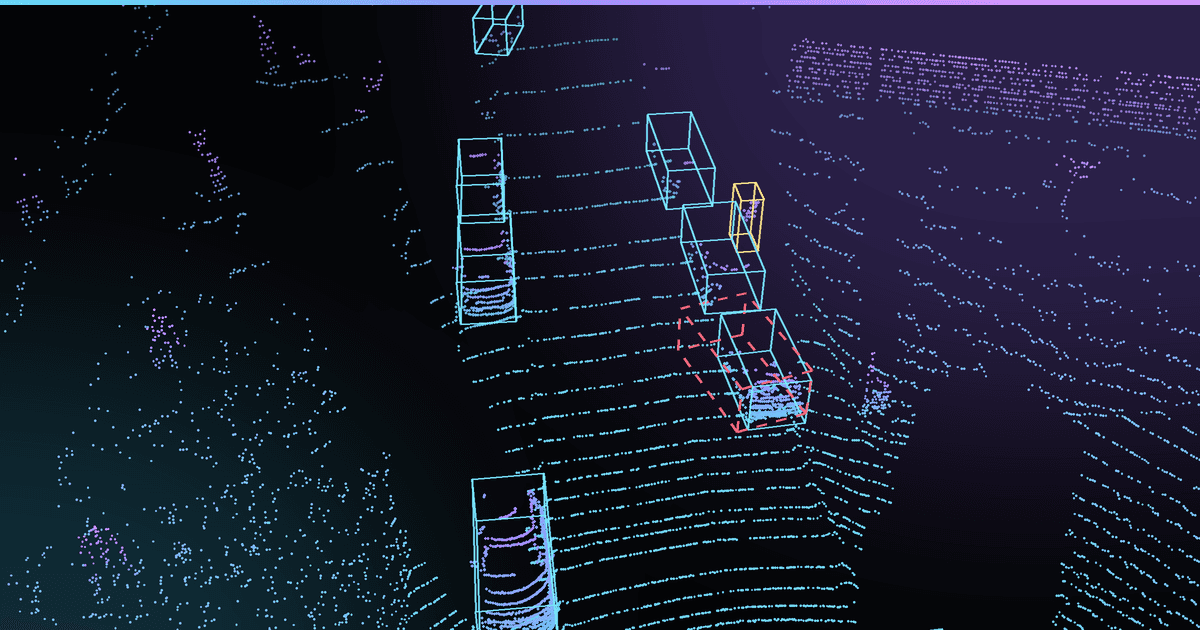
LiDAR annotation mistakes are hard to see. A mislabeled 2D image looks wrong at a glance. A cuboid that's 15 cm too wide, or a track ID that swaps for three frames behind a bus, looks fine until you measure it. These errors also tend to be consistent: the same annotator habit repeated across thousands of frames. That's exactly the kind of signal a model picks up.
Below are the nine mistakes we see most often in 3D cuboid and sequence work. For each one: why it happens, what it does to your model, and how to catch it in QA.
Why LiDAR annotation mistakes cost more than 2D ones
The short answer is tolerance. KITTI's 3D benchmark uses an IoU threshold of 0.7 for cars and 0.5 for pedestrians and cyclists, in both bird's-eye view and full 3D.
To see how fast that margin goes, we ran a quick geometry check on a typical car cuboid (4.5 × 1.8 × 1.5 m):
| Label error on a car | 3D IoU vs. true box |
|---|---|
| 10 cm extra on every side | ~0.81 |
| 10° yaw error | ~0.80 |
| 10 cm padding + 5° yaw + 20 cm center shift | ~0.75 |
Small objects suffer more. For a pedestrian (0.7 × 0.7 × 1.75 m), 10 cm of padding per side drops IoU to about 0.57, uncomfortably close to the 0.5 cutoff. (These are our own calculations for illustration, not benchmark results.)
nuScenes makes the cost even more visible. Its detection score gives half its weight to mAP and the other half to box location, size, orientation, attribute and velocity errors (mATE, mASE, mAOE, mAAE, mAVE). Almost every mistake below lines up with one of those terms.
There's good evidence that box noise hurts detectors. In a controlled 2D study, 40% box noise cut a Faster R-CNN's AP50 from 58.1 to 28.9. We haven't found an equally clean controlled study for LiDAR, so treat that as directional. The mechanism is the same, though, and 3D boxes have more parameters to get wrong.
The 9 mistakes
1. Loose or inconsistent cuboid fit
What it is: boxes padded "to be safe," with the amount of padding varying by annotator, class and distance.
Why it happens: the guideline says "tight" without giving a number, and every annotator interprets that differently.
Impact: your size regression learns inflated dimensions, mASE goes up, and IoU falls fastest on small classes like pedestrians and cyclists.
How to spot it: for each box, measure the gap between every face and the nearest point inside the box. Plot it per class and per annotator, and outliers jump out within minutes. Also count points sitting just outside the box, which catch the opposite error.
Fix: write a numeric tolerance for faces with dense returns (for example, 5 cm), and a separate rule for faces the sensor can't see. The nuScenes guideline is a good model. It requires cuboids to be very tight, with almost no space between the cuboid and the nearest point, without excluding any points.
2. Heading errors and 180° flips
What it is: yaw that's off by a few degrees, or a box whose front and back are reversed.
Why it happens: at range, a parked sedan, a trailer or a bus is close to symmetric in the point cloud. Annotators eyeball heading from the top view and guess.
Impact: mAOE goes up, and prediction and planning modules inherit the error. A flipped heading on a moving vehicle points its predicted trajectory the wrong way.
How to spot it: here's the trap. A 180° flip has perfect IoU. IoU-based QA will never catch it. Instead, for moving tracks, compare each box's yaw with the direction of travel computed from consecutive centers. Flag any frame-to-frame yaw change that a real vehicle can't make.
Fix: define "front" for every class in the guideline, including trailers, buses and bicycles. For stationary, ambiguous objects, require a camera check before the heading is accepted.
3. Skipping or mis-sizing sparse, distant objects
What it is: objects with only a handful of points are either left unlabeled, or boxed tightly around the few visible points, so they come out far too small.
Why it happens: point-count rules vary. nuScenes asks annotators to label any target with at least one LiDAR or radar point, while some public guidelines set the floor at 10. If your rule is vague, every annotator picks their own.
Impact: an unlabeled object becomes a negative example. You are literally training the model to suppress real detections at range. Undersized boxes teach the wrong size prior for distant objects.
How to spot it: run a pretrained detector over your labeled data, then review high-confidence detections that have no matching label. Also plot box length against range for each class. For cars, it should be roughly flat; a downward slope means annotators are fitting to the points, not to the object.
Fix: set one explicit point floor. Size sparse objects from the camera and class priors, as nuScenes does, or mark them as "ignore" regions so they neither reward nor penalize the model. Whatever you choose, use the same rule for training and evaluation data.
4. Dimension drift across a sequence
What it is: the same rigid car measures 4.4 m in one frame, 4.7 m in the next, then 4.5 m.
Why it happens: each frame is labeled on its own, and each one fits whichever side of the car happens to be visible.
Impact: noisy size targets, plus fake size changes that confuse trackers and temporal models.
How to spot it: compute the standard deviation of length, width and height per track. For rigid classes, anything above a few centimeters deserves a look.
Fix: set dimensions once per track, using the frame with the best coverage, and let only position and yaw change. Write explicit exceptions for articulated vehicles and open doors. A related gotcha: localization error can make a stationary object appear to drift, and nuScenes tells annotators to give such objects a separate cuboid in every frame.
5. Track ID switches and fragmentation
What it is: an object gets a new ID after an occlusion, or two IDs swap when pedestrians cross.
Why it happens: long occlusions, crowds, and long sequences split between annotators, with nobody reconciling IDs at the chunk boundaries.
Impact: MOTA counts identity switches as errors alongside false positives and false negatives. When the switch is in your ground truth, you're grading your tracker against the wrong answer and splitting the trajectories your prediction model trains on.
How to spot it: flag any ID that ends near where another ID starts, within a few meters and a few frames; it's probably the same object. Also flag IDs with physically impossible jumps in position or speed. Check chunk boundaries first, because that's where most switches live.
Fix: keep a sequence with one annotator where possible, or add a reconciliation pass at chunk boundaries. Write an occlusion rule: if the object reappears within N frames on a consistent path, it keeps its ID.
Three LiDAR label errors, seen from bird's-eye view
- Correct label
- Common mistake
- LiDAR points
Loose cuboid fit
The tight box sits right on the points. The padded box adds ~10 cm per side.
Car: 3D IoU drops to ~0.81
Pedestrian: ~0.57 (cutoff 0.5)Hurts: mASE, 3D IoU, small classes
180° heading flip
Same box, front and back reversed.
IoU = 1.0, so IoU-based QA misses it. Check yaw against motion instead.
Hurts: mAOE, prediction, planning
Track ID switch
Frames t1 → t4: the object passes behind an occluder and comes back with a new ID.
One object, two IDs in ground truth.
Hurts: IDS, AMOTA, trajectories
IoU values: illustrative calculation for a 4.5 × 1.8 × 1.5 m car and a 0.7 × 0.7 × 1.75 m pedestrian.
6. Labeling on motion-distorted sweeps
What it is: cuboids fitted to points that are smeared by the sensor's motion, or by the object's.
Why it happens: a spinning LiDAR doesn't capture a frame all at once. A typical mechanical unit sweeps over about 100 ms. Ego-motion compensation (deskewing) handles the vehicle's own movement, but deskewing does not fix distortion from other moving actors, and that distortion is still present in almost every AV dataset.
Impact: fast vehicles, especially oncoming traffic and objects at the sweep seam, get labeled too long or too short. At a closing speed of 20 m/s, a 100 ms sweep covers up to 2 m of relative motion.
How to spot it: look at static structures such as poles and walls. Doubled or sheared edges mean ego-deskewing is missing or wrong. For moving objects, check whether box length correlates with relative speed within a track; it shouldn't.
Fix: confirm that deskewing is applied and which timestamp it references, before labeling starts. For fast actors, take dimensions from the track (see mistake 4), not from the smeared frame.
7. Trusting a misaligned camera projection
What it is: annotators nudge a correct 3D box until its projection lines up with a misaligned camera image.
Why it happens: calibration drifts, and cameras and LiDAR rarely fire at exactly the same moment. Even nuScenes shows projection misalignment caused by different sensor frequencies, triggers and timestamp delays.
Impact: your 3D labels inherit the calibration error, and any fusion model trains on geometry that disagrees with itself.
How to spot it: project static edges (poles, lane boundaries, building corners) into the image every frame and track the pixel offset over time. A steady shift points to calibration; an offset that grows with speed points to timing.
Fix: treat LiDAR as the geometric truth for 3D position. Use the camera for class, attributes, heading checks and the extent of sparse objects. When the projection is off, escalate a calibration issue; don't edit the labels to match it.
8. A vague class ontology at the edges
What it is: the same object labeled two ways. Is that a pickup or a truck? Is the rider inside the bicycle box? Is a mannequin a pedestrian?
Why it happens: the guideline covers the common cases and leaves the edges to each annotator's judgment.
Impact: contradictory supervision. The model sees identical objects with different labels, and class confusion between sibling classes goes up.
How to spot it: look for confusion between sibling classes in disagreement audits, and for box-size distributions within a class that have two peaks.
Fix: a decision table with picture examples. nuScenes settles many of these explicitly:
| Edge case | nuScenes rule |
|---|---|
| Rider on a bicycle or motorcycle | Inside the vehicle's box |
| Pedestrian pushing a stroller | Labeled separately from the stroller |
| Semi-trailer | Labeled as a trailer, separate from the tractor |
| Mannequin | Adult pedestrian |
Your rules can differ. What matters is that they're written down.
9. Missing or inconsistent occlusion and visibility attributes
What it is: occlusion, truncation and visibility flags that are guessed, or left at their default values.
Why it happens: attributes feel secondary, and the definitions are vague. Is "visible" measured in the LiDAR or in the camera? (nuScenes defines visibility using the camera views.)
Impact: KITTI's difficulty levels are built from box height, occlusion and truncation. Wrong flags quietly move objects between easy, moderate and hard, so your reported numbers stop meaning what you think they mean.
How to spot it: compare occlusion flags against point counts and projected overlap with other boxes. Measure inter-annotator agreement on attributes, not only on boxes.
Fix: state which sensor each attribute is measured in, define the bins with examples, and default to "unknown" rather than "fully visible." KITTI has a separate value for unknown occlusion for exactly this reason.
A LiDAR annotation QA checklist
| Mistake | Automated check | Human review | Metric it protects |
|---|---|---|---|
| 1. Loose fit | Face-to-point gap per class and annotator | Spot-check outliers | mASE, 3D IoU |
| 2. Heading flips | Yaw vs. velocity; yaw-rate limits | Camera check on stationary objects | mAOE |
| 3. Sparse objects | Detector-based missing-label mining; size vs. range | Review flagged frames | Recall at range |
| 4. Dimension drift | Per-track std dev of l/w/h | Approve exceptions | mASE, tracking |
| 5. ID switches | End/start proximity; impossible jumps | Review crossings and chunk boundaries | IDS, AMOTA |
| 6. Motion distortion | Static-edge doubling; length vs. speed | Confirm deskew settings | mATE, size |
| 7. Misalignment | Static-edge projection offset over time | Escalate calibration | Fusion consistency |
| 8. Ontology | Sibling-class confusion; bimodal sizes | Update the decision table | Per-class AP |
| 9. Attributes | Flags vs. point count and overlap | Agreement audits | Difficulty buckets, mAAE |
The order matters. Check calibration and deskewing before labeling starts (rows 6 and 7). Every label made on top of a bad projection has to be redone.
A LiDAR annotation QA workflow
Check the sensor data before labeling, then layer automated and human checks.
Before labeling
Guideline
Numeric fit tolerance, heading rules per class, edge-case table, point floor, attribute bins.
Before labeling
Sensor check
Calibration: project static edges. Deskew: no doubled poles or walls. Timestamps and frames confirmed.
Labeling
Sequence labeling
One annotator per sequence or reconciled chunk boundaries; dimensions locked per track.
Review
Automated checks
Face-to-point gaps, yaw vs motion, size drift, ID gaps and jumps, missing-label mining.
Review
Human review
Flagged frames first, then a random sample; crossings, occlusions and chunk boundaries every time.
Review
Expert audit and metrics
Agreement per class and annotator; heading, attribute and ID error rates reported, not just IoU.
Feedback loop: new edge cases and recurring errors go back into the guideline (step 1).
Outlined steps happen before any frame is labeled. Fixing calibration or deskewing later means relabeling.
How Intellisane handles this
Every 3D project at Intellisane goes through three layers before it reaches you:
- Annotation: labelers work from a written guideline agreed with your team, covering fit, heading, track IDs and attributes.
- QA: a separate reviewer checks every sequence against that guideline and sends errors back for correction.
- Final QA: a last pass over the full delivery before export in KITTI, nuScenes or your custom format.
We've annotated LiDAR data from a leading automotive LiDAR manufacturer's sensors, working alongside a specialist data partner. Across all projects, we've delivered 100M+ annotations for clients in 23+ countries, and 96% of clients come back.
FAQ
What 3D IoU threshold should LiDAR annotation QA use?
Use a threshold stricter than your evaluation metric. If you evaluate cars at 0.7 IoU (the KITTI standard), QA should flag annotator-vs-reviewer disagreements well above that, around 0.85–0.9 for well-sampled cars, with looser bands for sparse or distant objects. Always pair IoU checks with a heading check, because a 180° flip has perfect IoU.
How many LiDAR points does an object need before you label it?
There's no universal number. nuScenes labels anything with at least one LiDAR or radar point when the object's location and shape are clear, while other guidelines use 10. What matters is choosing one rule, sizing sparse objects from camera and class priors, and applying the same rule to both training and evaluation data.
Should you label objects that are partly occluded?
Yes. Label the full physical extent of the object, not just the visible points, and record the occlusion level as an attribute. Skipping occluded objects turns them into negative examples, which teaches the model to ignore exactly the objects that cause near-misses, like a pedestrian stepping out from behind a parked van.
How do you measure LiDAR annotation quality?
Combine three things: geometric checks (face-to-point gaps, size consistency per track, yaw against direction of travel), agreement checks (reviewer-vs-annotator IoU and attribute agreement on a sample), and model-based checks (high-confidence detections with no matching label). Report results per class and per annotator, because averages hide systematic errors.
Can auto-labeling fix these LiDAR annotation mistakes?
Partly. Pre-labels from a detector speed up fitting, but they repeat the model's own blind spots, like missing sparse objects or flipped headings on symmetric shapes. Auto-labeling works best as a first pass, with human review focused on exactly the failure modes listed above.
Not sure how your current labels hold up? Send us 100–500 frames for a free pilot. We'll label them through all three QA layers and show you what we find. Request a free pilot →
Sources
- nuScenes annotator instructions (nuscenes-devkit)
- Caesar et al., nuScenes: A multimodal dataset for autonomous driving
- Waymo Open Dataset labeling specifications
- KITTI object benchmark devkit readme
- Zhou & Tuzel, VoxelNet (KITTI evaluation protocol)
- Zhou et al., Tracking Objects as Points (MOTA and identity switches)
- Robust Object Detection With Inaccurate Bounding Boxes (ECCV 2022)
- SMORE: Simultaneous Map and Object REconstruction (actor-motion distortion)
- PixSet full-waveform LiDAR dataset (sweep timing and synchronization)
- Addressing Data Misalignment in Image-LiDAR Fusion on Point Cloud Segmentation
- Boundary-Aware Dense Feature Indicator (KITTI difficulty levels)
- 3D-BAT annotation tool guideline