 Annotation Platform
Label images, video, audio, text, and 3D point clouds in one place. Built-in quality control, team workflows, and cloud integrations — so your data reaches training faster.
Annotations delivered
Accuracy guarantee
Languages supported
Expert annotators
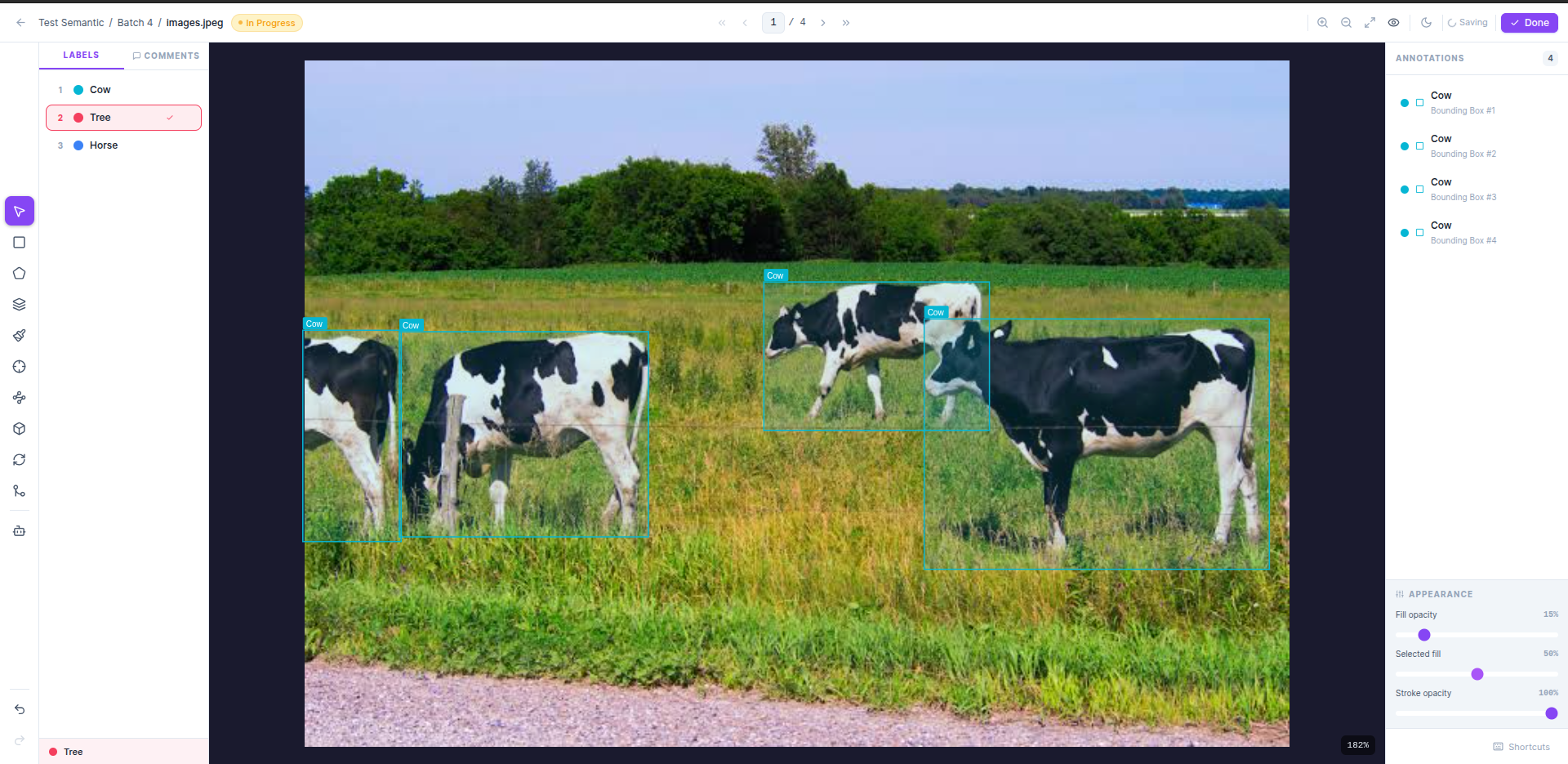
Draw bounding boxes, polygons, and keypoints on images directly in the browser. The canvas supports multi-class labeling with keyboard shortcuts (1–9), undo/redo history, zoom, and a live annotation list on the right panel. Switch between classes without breaking your flow.
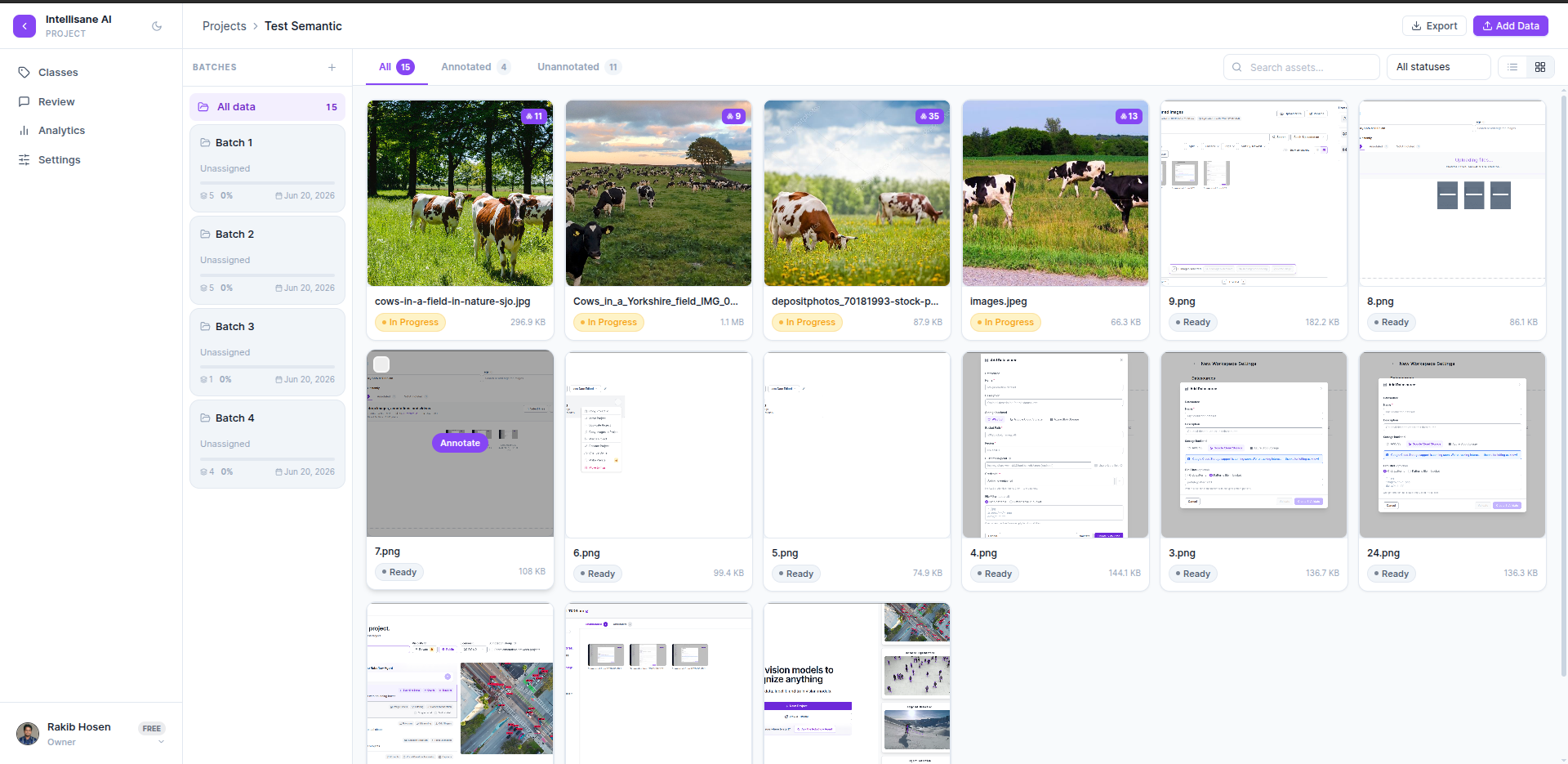
Every dataset lives inside a project. Split assets into batches for parallel annotation, track progress per batch, and filter your asset grid by status — Annotated, Unannotated, or In Progress. Export or add data anytime without interrupting ongoing work.
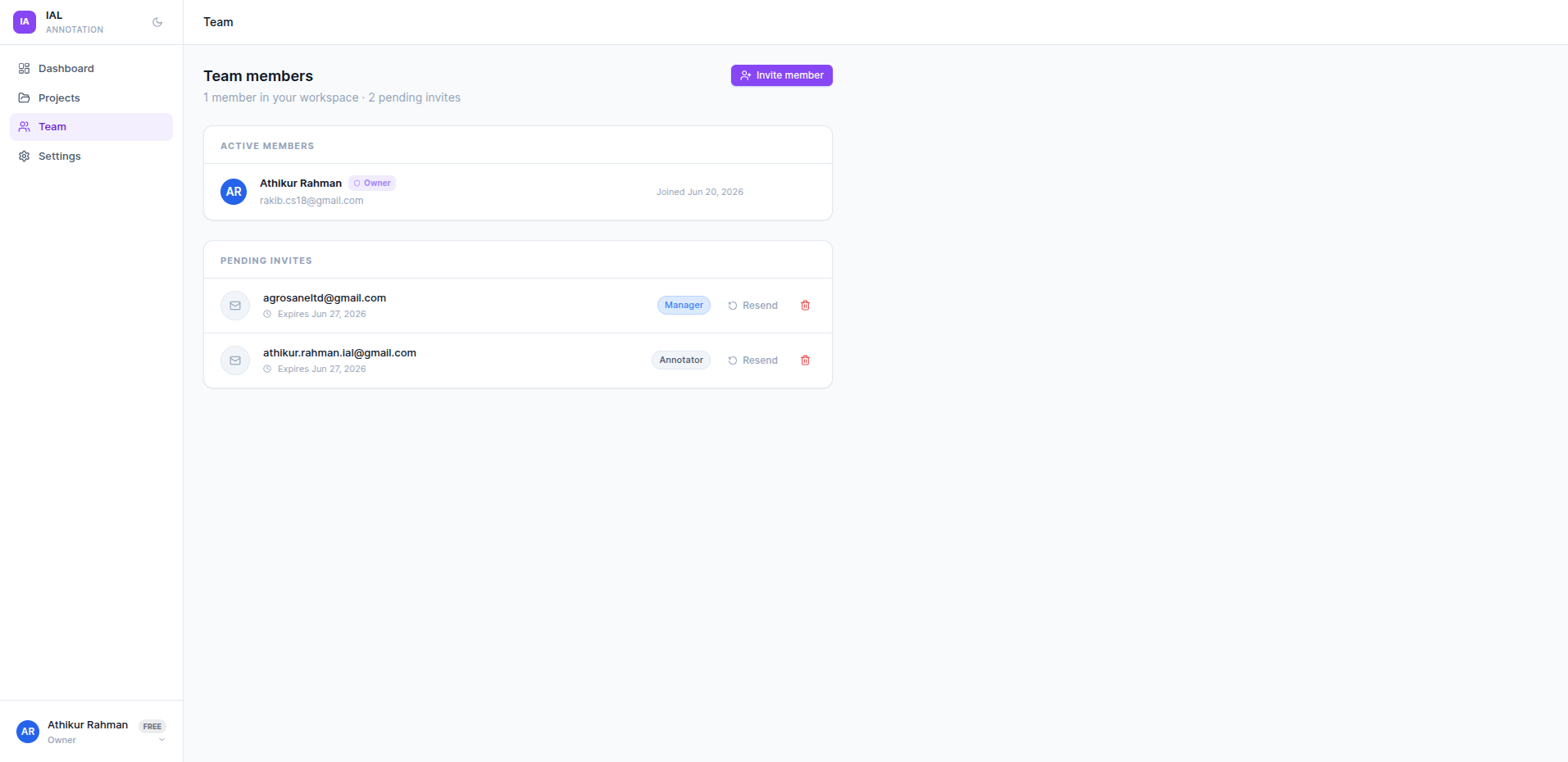
Add team members as Owner, Manager, Annotator, or Reviewer. Invite by email — pending invites are tracked until accepted. Each role controls what the member can do: managers configure projects, annotators label data, reviewers approve or reject batches.
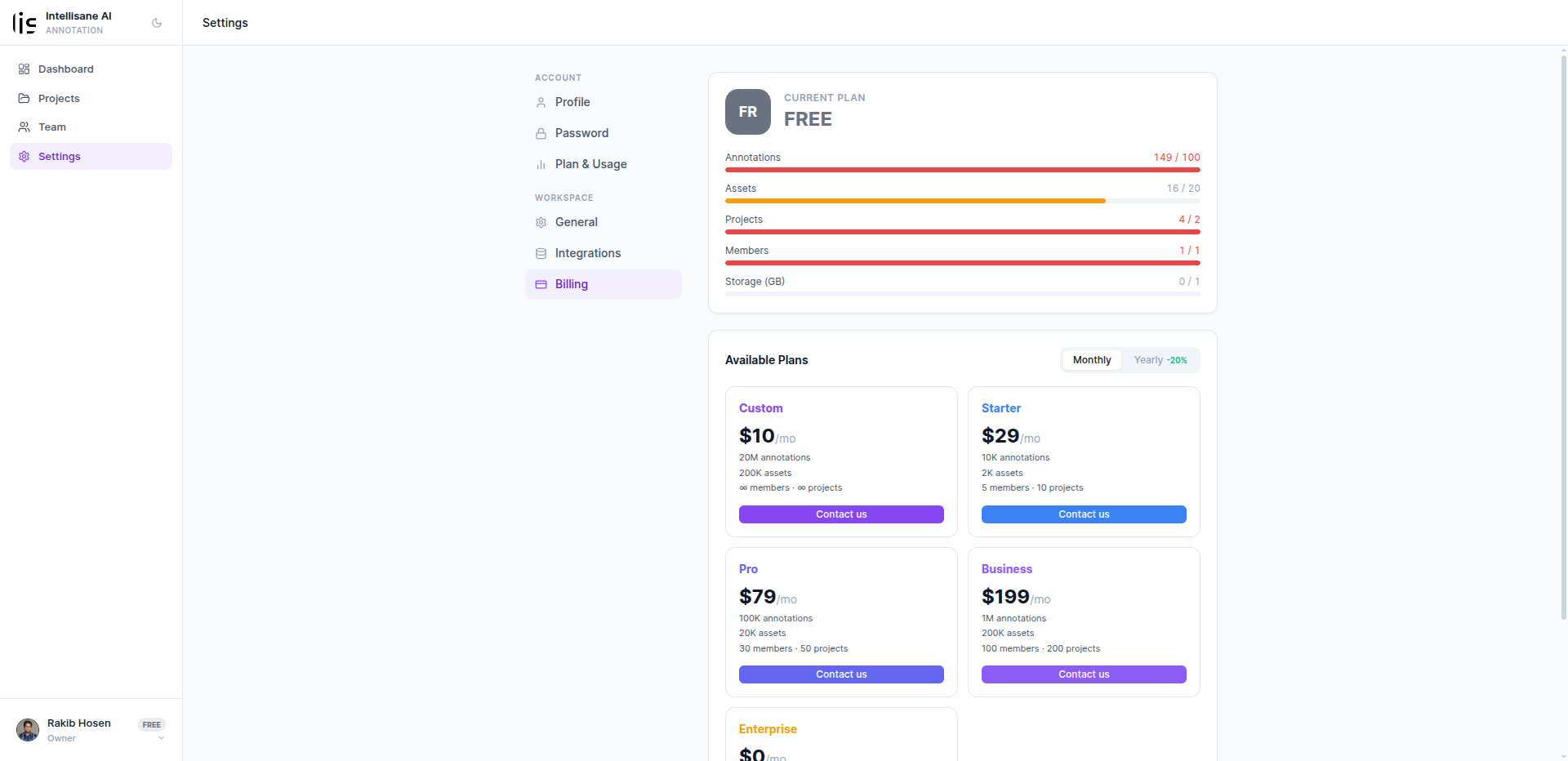
The Billing tab gives every workspace owner a live view of consumption — annotations, assets, projects, members, and storage — with color-coded progress bars that turn red when you're near a limit. Upgrade or change plans in one click directly from the dashboard.
How It WorksFive clear steps from uploading your first file to exporting production-ready annotations.
Drag-drop image, video, audio, or text files — or connect your AWS S3 / GCS bucket directly.
Define label classes, annotation type, QA rules, and split data into batches for your team.
Annotators open assets and label using the full toolset with keyboard shortcuts and live class switching.
Reviewers check work batch by batch — approve, reject with comments, or request corrections.
Download in COCO, YOLO, VOC or push directly to your cloud storage for training.
Export to any ML framework — out of the box
Questions About the Platform?Everything you need to know before you start annotating.


Start for free — no credit card required. Upgrade when your team is ready.
